


AI-powered security analysis
Get instant, contextual remediation guidance for every vulnerability — AI that understands your infrastructure, grounded in real scan evidence.
Evidence-grounded · Zero-retention · Inline, never a popup
AI Analysis
Powered by Claude · Generated 4 hours ago
SSL certificate expiring in 14 days
api.example.com · CVSS 5.3
What this means
The TLS certificate protecting api.example.com expires on May 5, 2026. After that, browsers and API clients refuse to connect — a full outage for anything on this endpoint.
How to fix
- 1. Renew the certificate via your issuer for the same SAN list.
- 2. Deploy to the load balancer and reload the TLS listener with zero downtime.
- 3. Verify the chain and expiry with openssl s_client.
How it works
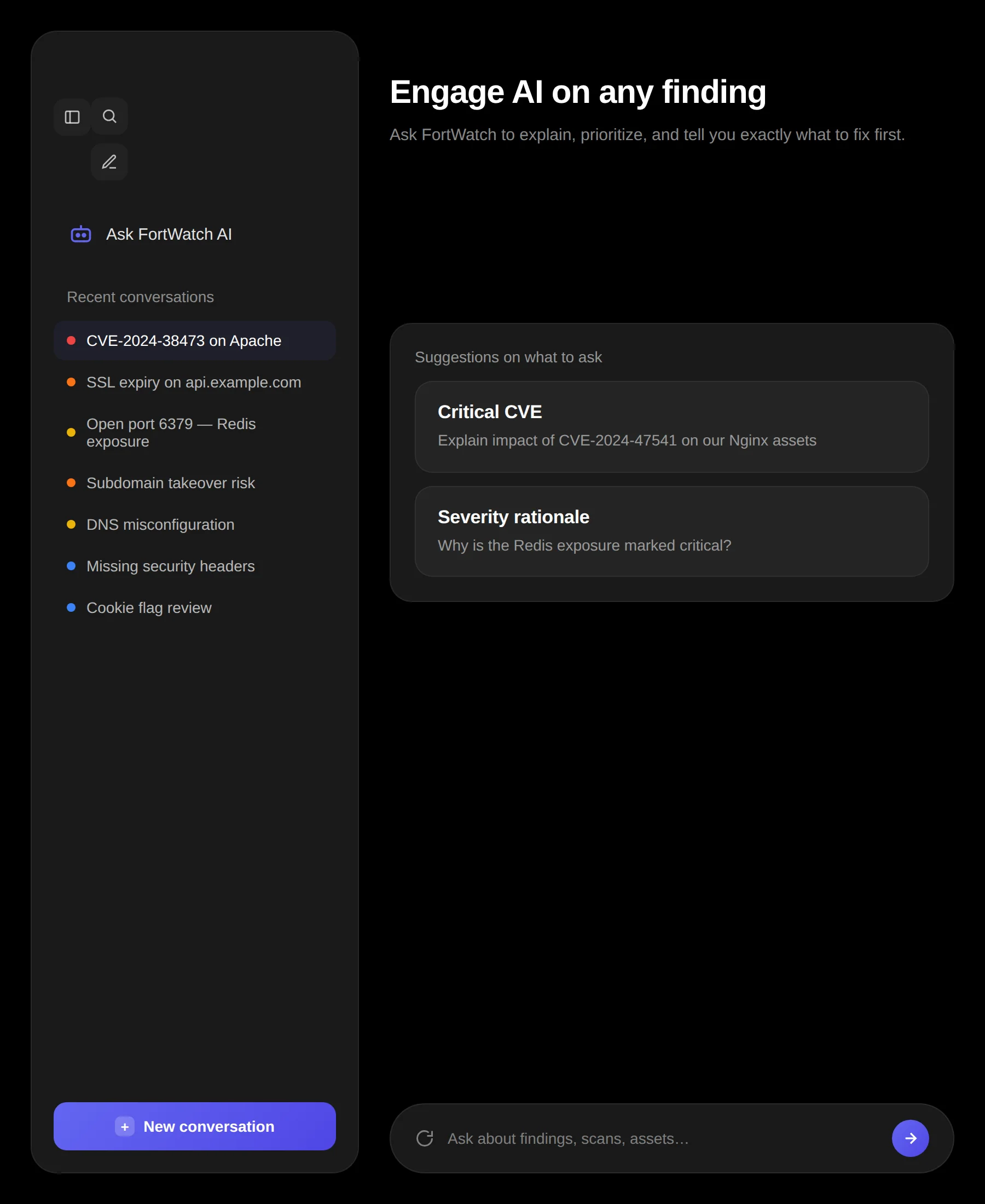
Click the AI Analysis button on any finding to get an instant, structured response tailored to that specific vulnerability and the asset it affects.
One-click analysis on any finding or scan result
Structured, readable responses with clear sections
Inline display with skeleton loading — no disruptive popups
What AI analyzes
Every analysis takes into account the full context of the vulnerability — not just the CVE ID, but your specific environment and exposure.
Vulnerability Type
Classification, attack vector, and known exploitation methods.
Severity Context
Why this severity rating was assigned and what it means for your environment.
Evidence Review
Analysis of the raw evidence collected during scanning.
Asset Context
How the finding relates to the specific asset, its technology stack, and exposure level.
Remediation plans
Every AI analysis includes step-by-step fix instructions you can hand directly to your engineering team. No more translating security jargon.
Step-by-step remediation instructions
Configuration examples and code snippets where applicable
Priority guidance based on exploitability and impact
Scan summaries
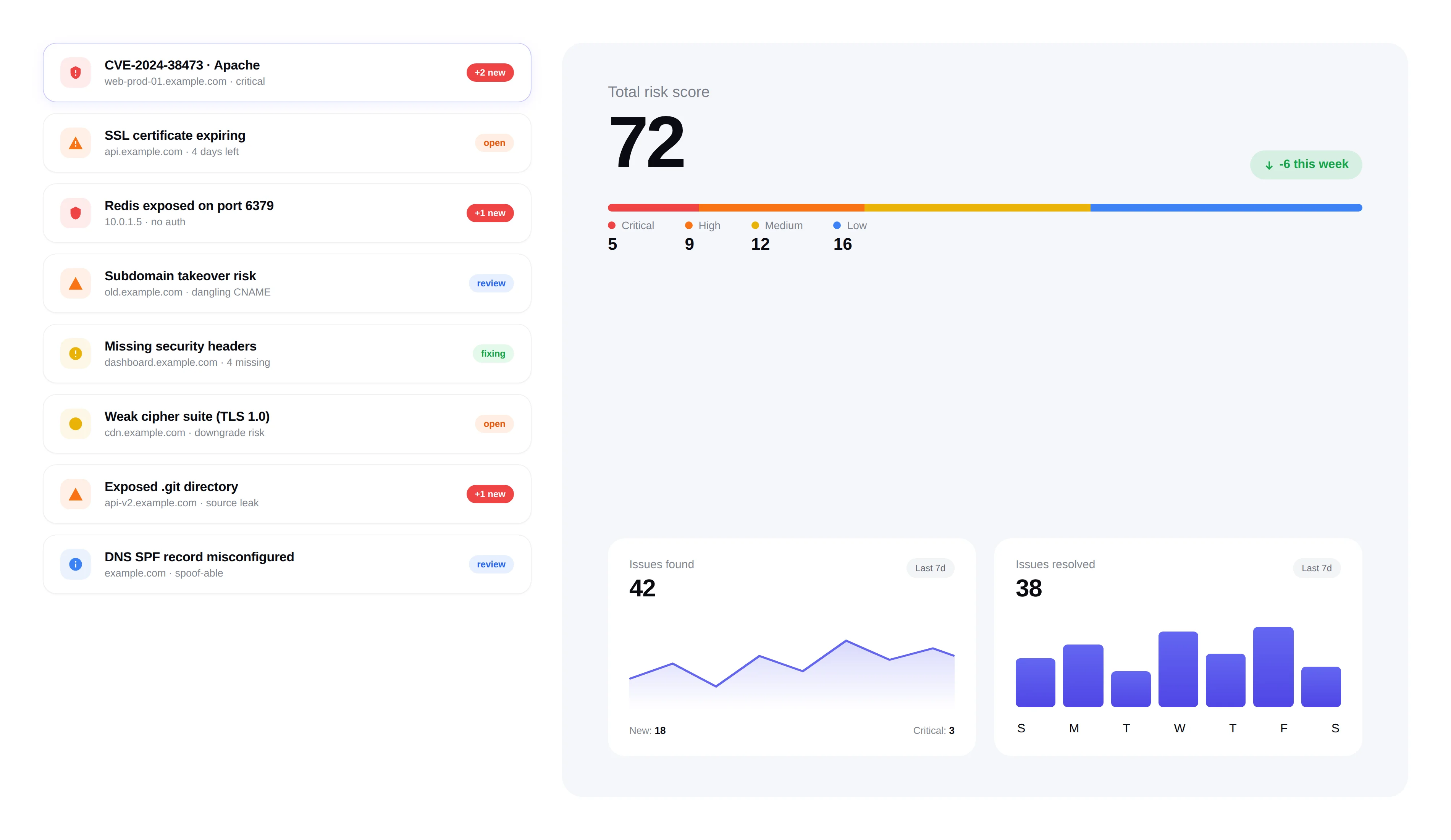
After every scan completes, get an AI-generated overview that highlights the most important findings and trends across all results.
Executive-level scan summary in plain language
Top risks highlighted with recommended next steps
Comparison with previous scans to show progress or regressions
Built for security teams
AI analysis is designed to save your team hours of manual triage. Every response is actionable, contextual, and ready to share.
No copy-pasting into ChatGPT — analysis is built in
Consistent, structured output every time
Works across all scan types and finding categories
Frequently asked questions
Answers to the most common questions about FortWatch's AI analysis.
What does the AI actually do for each vulnerability?+
Click the AI Analysis button on any finding and FortWatch returns a structured response covering four areas: vulnerability type and attack vector, why the severity was assigned, a review of the raw evidence collected during the scan, and asset context — how the finding relates to the specific host, service, or application. It ends with step-by-step remediation you can hand to engineering.
Which AI model powers FortWatch's analysis?+
FortWatch uses frontier large language models from leading providers, selected per task for accuracy and cost. Prompts are tuned by our security team with finding-specific context — the CVE, the evidence, the asset's technology stack, and the exposure level — so responses are grounded in your data rather than generic advice.
Is my scan data sent to a third-party AI provider?+
Analysis requests are processed through enterprise AI APIs under zero-retention agreements: prompts and responses are not used for model training and are not retained for long-term logging. Only the minimum context needed to analyze a finding — the vulnerability details, evidence, and asset metadata — is sent. Your raw credentials, secrets, and internal network traffic are never transmitted.
How do you prevent AI hallucinations in security advice?+
Every response is grounded in the scanner's actual evidence — the HTTP response, banner, TLS handshake, or file detected during the scan — rather than free-form generation. Output is constrained to a structured schema with clearly labeled sections, and remediation steps are matched against known fixes for the vulnerability class. If the AI lacks high-confidence context, it says so instead of inventing details.
Does AI analysis replace a human security engineer?+
No. AI analysis is a triage and remediation accelerator — it saves your team hours of manual research per finding, translates CVE descriptions into plain language, and drafts fix instructions. A human still validates exploitability in your environment, prioritizes across the business, and signs off on changes. The AI does the tedious work so your engineers spend time on judgment calls.
Can AI analysis identify false positives?+
Yes. The evidence review section flags when the raw scanner output is weak, ambiguous, or inconsistent with the vulnerability class — for example, a banner-only match with no exploit path, or a finding contradicted by other signals on the asset. You get a clear confidence signal before you spend engineering time chasing a ghost.
How fast is the AI analysis?+
Typical responses return in 5–15 seconds. The UI shows a skeleton loader in-place while the request runs — no disruptive popups — and renders the structured sections inline as soon as the response is ready. Scan-level summaries, which aggregate across many findings, take slightly longer but still complete in under a minute.
Is there a per-analysis cost or limit?+
AI analysis is included on every FortWatch plan at no additional per-request cost. There are fair-use limits to prevent automated abuse, but normal triage workflows — analyzing every finding after a scan, re-running analysis after remediation — never hit them. You pay for assets and scans, not for AI calls.
Explore more of FortWatch
Every feature runs on one platform and shares the same data. Jump to another, or see the full set.
Scanning & discovery
Secure your entire stack today
Start scanning in under 5 minutes. No credit card required. 7-day free trial included.