


Emerging threat scanning
When a critical new CVE drops, FortWatch automatically re-scans every asset in your infrastructure. Know if you're affected within minutes, not days.
New CVEs · Zero-days · Nuclei · < 30 min
Emerging threats
3 new this week · 258 CVEs tracked
CVE-2026-1847
SQL injection in OpenAdmin 3.2 panel
Affects 2 of your assets
CriticalNEWCVE-2026-1792
Path traversal in Nginx 1.25.0-1.25.2
Affects 1 asset
High2d agoCVE-2026-1551
XSS in WordPress core <6.4.2
No affected assets
High4d agoCVE-2026-1203
Prototype pollution in lodash
Affects 4 assets
Medium6d ago
How it works
When a new critical CVE is published, FortWatch's threat intelligence engine evaluates your asset inventory and triggers targeted re-scans on potentially affected assets.
Automatic detection of newly published CVEs
Targeted re-scans on affected asset types
Results within minutes of CVE publication
Zero manual intervention required
What gets scanned
Emerging threat scans focus specifically on the new vulnerability — running targeted checks against your entire infrastructure without repeating a full scan.
CVE-Specific Checks
Nuclei templates updated in real time for new vulnerabilities.
Service Matching
Only assets running affected services are scanned.
Version Detection
Precise version fingerprinting to confirm exposure.
Proof of Concept
Where available, safe PoC validation confirms exploitability.
Real-time notifications
The moment an emerging threat scan finds something, you're notified through every channel you've configured — email, Slack, webhooks, or PagerDuty.
Instant alerts with severity, affected asset, and remediation steps
Dedicated 'Emerging Threats' section in your dashboard
Historical tracking of every emerging threat scan result
Why this matters
Most vulnerability scanners only find what they're told to look for. FortWatch proactively hunts for new threats the moment they're disclosed — before attackers can weaponize them.
Average time from CVE publication to scan: under 30 minutes
Coverage across web, infrastructure, and cloud assets
Available on Pro plans and above
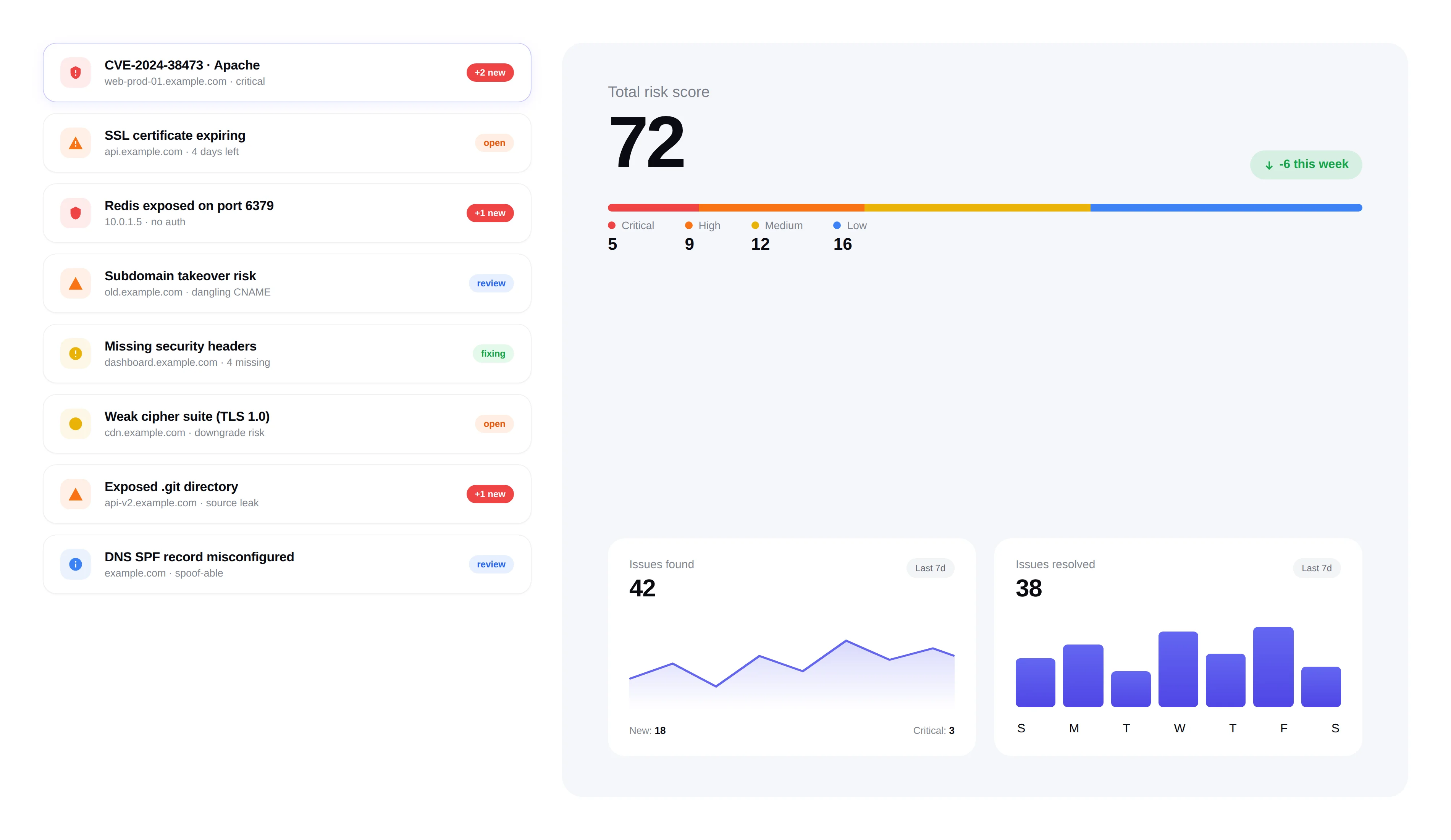
Frequently asked questions
Answers to the most common questions about zero-day response, CVE feeds, and Nuclei template coverage.
What qualifies as an emerging threat in FortWatch?+
An emerging threat is any newly published CVE, zero-day disclosure, or exploit chain that affects services you're already running. FortWatch focuses on vulnerabilities with a CVSS score of 7.0 or higher, active exploitation signals from CISA KEV, or a vendor-confirmed advisory — the subset that actually requires an immediate re-scan rather than a routine one.
How fast does FortWatch respond when a new CVE is published?+
The emerging threat engine polls CVE feeds and Nuclei template releases on a short cycle. From the moment a critical template lands, FortWatch fingerprints your asset inventory, kicks off targeted re-scans on matching services, and posts results to your dashboard. Average end-to-end time from publication to first scan result is under 30 minutes.
How often are Nuclei templates updated?+
FortWatch syncs against the ProjectDiscovery Nuclei templates repository continuously and pulls new community and official templates as they're merged — typically within minutes of publication. Templates for critical CVEs are promoted into the emerging threats queue automatically so your next scan includes them without any manual action.
Which CVE feeds and threat intelligence sources do you use?+
FortWatch ingests NVD, CISA's Known Exploited Vulnerabilities catalog, vendor security advisories, and the ProjectDiscovery Nuclei template feed. This combination catches disclosures that haven't yet landed in NVD, flags CVEs with confirmed in-the-wild exploitation, and picks up vendor advisories that never receive a public CVE ID.
How are zero-days without an official CVE ID handled?+
When a zero-day is disclosed before a CVE is assigned, FortWatch relies on vendor advisories and Nuclei template releases to start scanning. Findings are tagged with the advisory identifier and linked back to the disclosure source. Once an official CVE ID is issued, historical findings are back-filled so your reporting stays coherent.
Does FortWatch run proof-of-concept exploits to confirm exposure?+
Where a safe, non-destructive PoC exists in the Nuclei template, FortWatch runs it to confirm exploitability rather than stopping at version fingerprinting. Destructive or intrusive checks are never executed. This cuts false positives for emerging CVEs — you see confirmed exposure, not just 'you might be running a vulnerable version.'
Which notification channels are supported for emerging threat alerts?+
Alerts are delivered through every channel configured on the workspace: email, Slack, Microsoft Teams, webhooks, and PagerDuty for on-call escalation. Each alert includes severity, the affected asset, the CVE or advisory reference, and recommended remediation — so the person on-call can triage from the notification itself without opening the dashboard.
Which plans include emerging threat scanning?+
Emerging threat scanning is included on Pro plans and above. Every asset in your inventory is eligible — web, infrastructure, and cloud assets — with no per-scan fee. You aren't charged extra when a zero-day drops and triggers a fleet-wide re-scan.
Explore more of FortWatch
Every feature runs on one platform and shares the same data. Jump to another, or see the full set.
Scanning & discovery
Secure your entire stack today
Start scanning in under 5 minutes. No credit card required. 7-day free trial included.