What is external attack surface management (EASM)?
▾
External attack surface management is the continuous practice of discovering every asset an organization exposes to the internet, testing those assets from the outside the way an attacker would, ranking what it finds by real risk, and tracking the fixes. It covers domains and subdomains, IP addresses and open ports, TLS certificates, DNS and email records, web apps and APIs, cloud storage, exposed files, lookalike domains and leaked credentials.
What is the difference between EASM and attack surface management (ASM)?
▾
Attack surface management covers every point where an attacker could get in, inside and outside the network. EASM is the part that deals with what is reachable from the public internet; the UK National Cyber Security Centre describes EASM as a subset of ASM that focuses on online assets accessible from the internet. For a small software company with a cloud-hosted product, the external part is most of the surface.
How is EASM different from penetration testing?
▾
A penetration test is people simulating a real attack on a scoped set of targets at one point in time, going deep and chaining small issues together. EASM is automated and continuous, and it finds assets nobody put in scope. A pentest shows what a skilled attacker could do that week; EASM shows what is exposed every day. Most teams run EASM continuously and commission a pentest when a customer, an auditor or a major release calls for one.
How is EASM different from vulnerability scanning?
▾
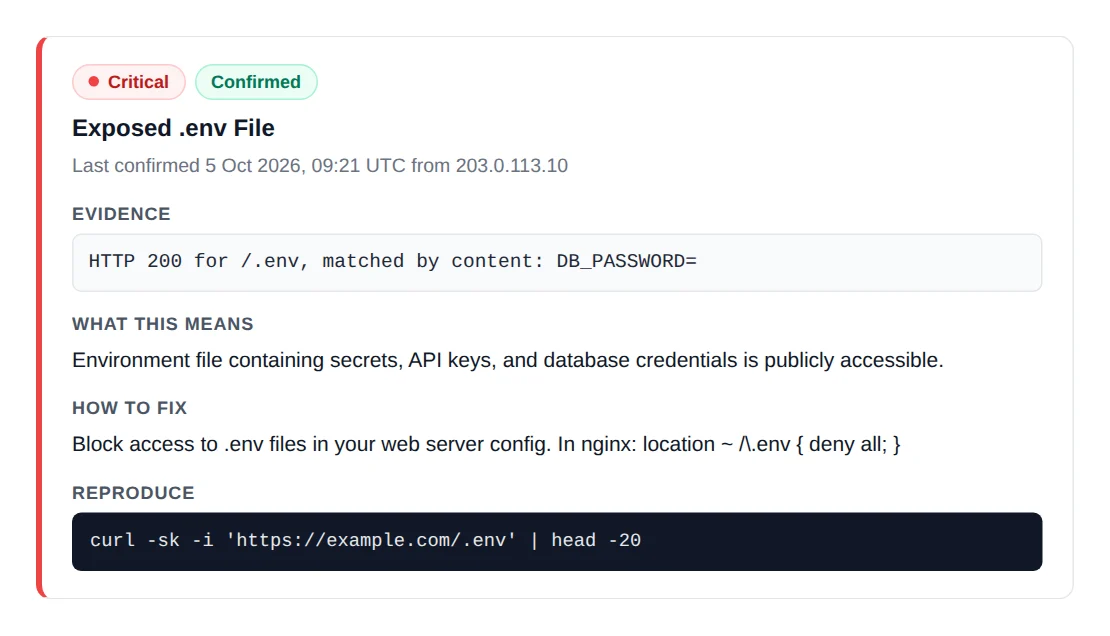
A vulnerability scanner tests the hosts you give it for known weaknesses. EASM starts earlier: it discovers which hosts exist, including ones you did not know about, then tests them. It also covers problems that are not CVEs, such as weak DNS and email records, exposed files, public cloud buckets, subdomain takeovers and lookalike domains. Vulnerability scanning is one step inside EASM.
What is CAASM, and do I need it as well as EASM?
▾
Cyber asset attack surface management (CAASM) builds an asset inventory by pulling data from the tools you already run, such as cloud accounts, endpoint agents and asset databases, through their APIs. It sees internal assets well but only knows what your tools know. EASM looks from the outside and finds what no tool of yours knows about. A small team with few tools to integrate gets more from EASM first; CAASM pays off once there is a large tool estate to reconcile.
How often should you scan your external attack surface?
▾
Continuously, and at least daily for anything customers use. The surface changes every time someone deploys, adds a DNS record or opens a port, and attackers scan the internet all the time: researchers showed in 2013 that a single machine could scan every IPv4 address in under 45 minutes. A monthly scan can leave an exposure open for weeks before you see it.
Do small companies need EASM?
▾
Yes. Automated attacks pick targets by what is exposed, not by company size, and small companies are less likely to have someone watching. EASM suits a small team because it needs no agents, integrations or network access, only the domains you own, and a good tool explains each finding well enough for a developer to fix it without a security specialist.
Can an EASM tool scan domains I do not own?
▾
It should not run active tests on them. Passive discovery from public sources such as certificate logs and DNS can see anyone’s domain, but port scans and vulnerability tests belong only on assets you own or are authorized to test. FortWatch asks for proof of ownership, a DNS record or a file on the site, before it runs the full scan.
How do I get started with EASM?
▾
List your root domains and the cloud accounts and IP addresses you know, then run an outside-in scan that discovers the rest. Fix exposed databases and admin panels, public files and dangling DNS records first, set up SPF, DKIM and DMARC, then schedule scans and route alerts to where your team works. FortWatch’s free tools give a first look in minutes, and its assessment gives one full report on one domain.